Проверка
Проверка
Проверка
Проверка
Проверка
Проверка
Integrating limit switches with an Arduino CNC Shield represents a fundamental step toward building a reliable and safe DIY CNC machine or 3D printer. These small but critical components act as sentinels, preventing the machine from moving beyond its physical boundaries and potentially causing damage to the mechanics, the workpiece, or itself. For hobbyists and makers, understanding how to properly wire, configure, and utilize limit switches unlocks a new level of precision and automation in their projects.
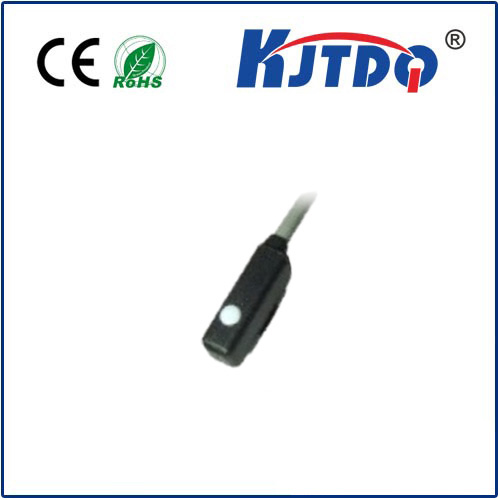
The Arduino CNC Shield, a popular expansion board, is designed to manage stepper motor drivers like the A4988 or DRV8825, making it an ideal brain for motion control systems. Its dedicated pins for endstops, or limit switches, simplify the connection process significantly. Typically, you will connect the switches to the dedicated X-, Y-, and Z-min pins on the shield. The wiring is straightforward: one wire from the switch goes to the signal pin on the shield, and another connects to the ground. Most setups use a common ground for all switches. It's crucial to decide whether to use a normally open (NO) or normally closed (NC) switch configuration. A NC configuration is often recommended for safety; if a wire breaks, the system will interpret it as a triggered switch and halt, acting as a fail-safe.
Once the hardware is connected, the next step is software configuration. This involves installing firmware like GRBL on the Arduino Uno that sits beneath the CNC Shield. GRBL is a powerful, open-source G-code interpreter that handles motion planning and I/O control. Within the GRBL settings (specifically the$ commands), you must define the behavior of the limit switches. Key parameters include$5 for inverting the limit pins (if needed) and$21 for enabling hard limits. Enabling hard limits ($21=1) instructs the controller to immediately stop all motion and enter an alarm state when a limit switch is activated. The machine must then be manually reset. Proper configuration ensures that the machine stops precisely and consistently upon hitting a switch.
Testing is an indispensable phase. Before running any complex G-code, manually trigger each switch while the machine is powered and connected to control software like Universal G-code Sender (UGS) or CNCjs. Observe the feedback; the software should immediately display a "Hard Limit" or similar alarm message, and all movement commands should be disabled. This confirms that the signal path from the physical switch, through the shield and Arduino, to the firmware is working correctly. It's also a good practice to test the switches at slow, controlled speeds to verify the stopping response without risk.
Beyond basic boundary protection, limit switches enable advanced features like automated homing. The$22=1 setting in GRBL enables homing. When a homing cycle is initiated (often via a G28 G-code command), the machine moves each axis in a specified direction until the limit switch is triggered. This establishes a consistent and accurate zero reference point for the coordinate system, which is essential for repeatable jobs. Without this, you would need to manually zero the machine before each operation, a process prone to error.
Troubleshooting common issues is part of the journey. If a limit switch is not being detected, double-check the wiring connections and the solder joints on the switch itself. Verify the GRBL settings, ensuring hard limits are enabled and the pin logic is not inverted incorrectly. Noise from stepper motors can sometimes cause false triggers; using shielded cables for the switch wires and adding a small pull-up resistor or a capacitor near the switch input on the shield can greatly improve signal stability. Always ensure your power supply is adequate and grounded properly to minimize electrical interference.
The synergy between the Arduino CNC Shield and limit switches transforms a collection of motors and rails into an intelligent, self-aware system. It moves the project from a simple manually-controlled device to an automated tool capable of executing complex designs with confidence. This implementation not only safeguards your investment in time and hardware but also lays the groundwork for more sophisticated enhancements like tool height sensors or probe routines. By mastering this integration, makers take a significant leap towards professional-grade results in their desktop manufacturing endeavors.