In the world of automation and robotics, precise control over movement is paramount. One of the most reliable and straightforward methods to achieve this is by integrating a limit switch with an Arduino microcontroller. While polling the switch's state in the main loop is a common approach, it can be inefficient and may miss critical signals during long-running tasks. This is where the power of interrupts comes into play. By utilizing an Arduino limit switch interrupt, you can create a responsive and robust system that reacts instantly to physical boundaries, ensuring safety and accuracy in your projects.
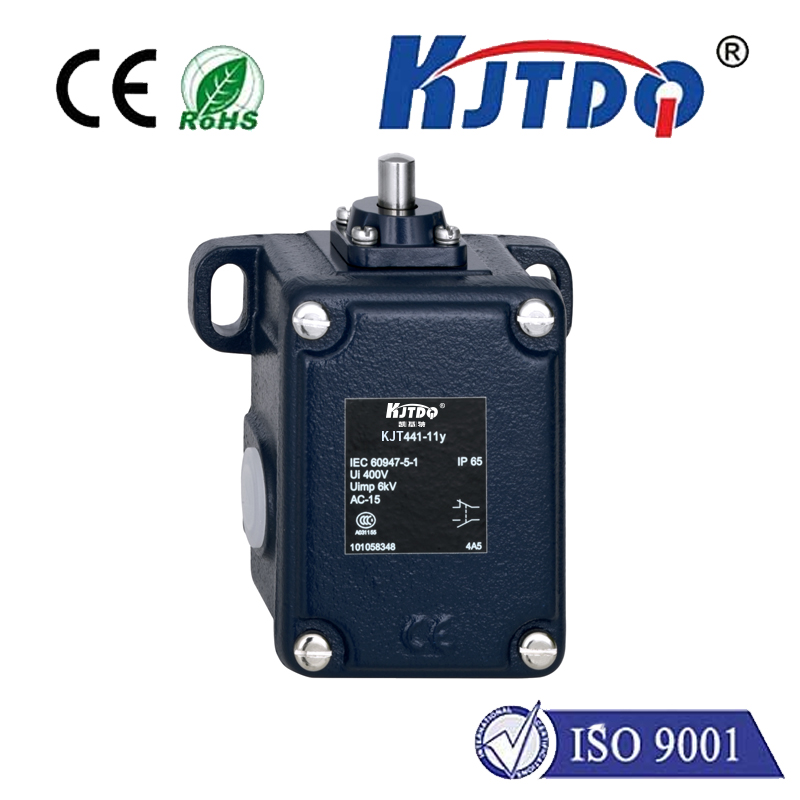
A limit switch is a simple electromechanical device that detects the presence or absence of an object. When an actuator, like a motor-driven arm, presses the switch, it changes its electrical state. Connecting this to an Arduino is straightforward: one pin to a digital input, and often a pull-up or pull-down resistor to ensure a stable reading. However, continuously checking this pin in theloop() function can lead to delays. If the Arduino is busy with a complex calculation or adelay() function, it might not notice the switch being triggered immediately. This lag could result in mechanical overtravel, potential damage, or failed operations.
The solution is to use an interrupt. An interrupt is a signal that tells the microcontroller to pause its current task and execute a special function called an Interrupt Service Routine (ISR). For an Arduino limit switch, this means the moment the switch is pressed or released, the main code halts, and the ISR runs to handle the event—like stopping a motor or reversing direction. This happens in near real-time, independent of what the main program is doing.
To implement this, you first need to connect your limit switch to a pin that supports external interrupts. On many Arduino boards, like the Uno, specific pins (such as digital pins 2 and 3) are interrupt-capable. In your setup, you use theattachInterrupt() function to link the interrupt pin to your ISR and define the trigger condition, such asRISING,FALLING, orCHANGE. The ISR itself should be short and fast; avoid usingdelay() or complex functions inside it. Instead, set a flag variable or update a state that the mainloop() can act upon later. This keeps the system responsive and stable.
Consider a practical example: a linear actuator that moves back and forth. You place limit switches at both ends of its travel. Using interrupts, when the actuator hits the forward limit switch, the ISR immediately sets a flag to stop the forward motor command. The main loop, which controls the motor driver, checks this flag and reverses direction or halts. This prevents the actuator from straining against its mechanical stop, protecting both the hardware and the motor.
Beyond basic stopping, interrupts for limit switches enable advanced functionalities. They can be used for homing sequences in CNC machines or 3D printers, where precise origin calibration is critical. By triggering on a switch press, the system can accurately zero its position. In interactive installations or safety cut-offs, interrupts provide an immediate response that polling cannot guarantee, enhancing reliability.
When designing your circuit, consider adding debouncing. Mechanical switches can produce multiple rapid state changes (bounces) when pressed, which might trigger the interrupt multiple times. Simple hardware debouncing with a capacitor and resistor, or software debouncing within the ISR (like ignoring subsequent triggers for a few milliseconds), can ensure clean signals. Also, remember that global variables used in ISRs should be declared asvolatile to inform the compiler that their value may change unexpectedly.
In summary, leveraging Arduino limit switch interrupts transforms a simple sensing mechanism into a powerful tool for real-time control. It elevates projects from basic prototypes to professional-grade systems where timing and reliability are non-negotiable. Whether you're building a robot, an automated garden, or a custom manufacturing tool, mastering interrupts will give you the edge in creating efficient and fail-safe designs. Start by experimenting with a single switch and LED feedback, and soon you'll integrate this technique into all your critical control systems.