Проверка
Проверка
Проверка
Проверка
Проверка
Проверка
In the world of DIY electronics and smart automation, the Raspberry Pi stands as a versatile and powerful brain. However, to interact with the physical world—to know when a door is fully closed, a valve has reached its position, or a robot arm has hit its endpoint—it needs sensors. One of the most fundamental and reliable sensors for this purpose is the limit switch. This guide will walk you through integrating a limit switch with your Raspberry Pi, turning simple GPIO pins into intelligent triggers for your projects.
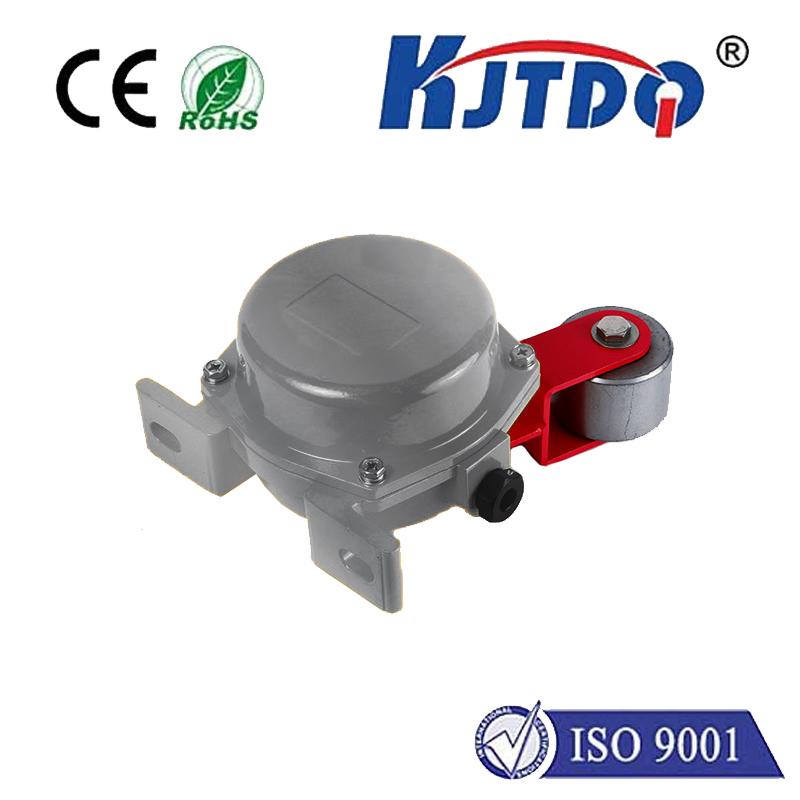
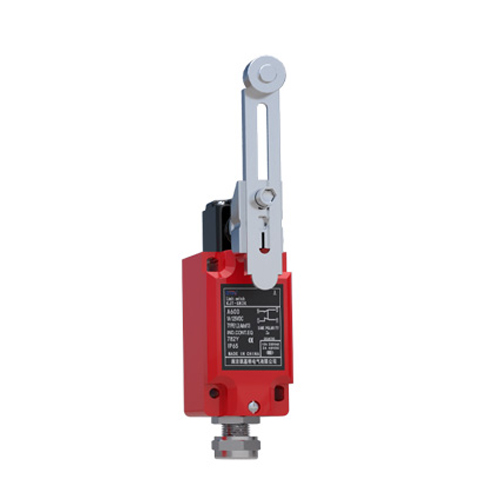
A limit switch is a simple electromechanical device. It typically has a lever, button, or plunger that, when pressed or released, opens or closes an electrical circuit. In its most common form, it's a "normally open" (NO) switch: the circuit is open (no current flows) when the actuator is not pressed, and it closes (current can flow) when it is pressed. This binary state—on or off—is perfect for a microcontroller like the Raspberry Pi to read.
Why pair a limit switch with a Raspberry Pi? The answer lies in precision and feedback. While the Pi can control motors and actuators, without feedback, it operates blindly. A limit switch provides a definitive physical signal. Imagine a 3D printer: limit switches at the ends of each axis tell the controller, "the print head is home." In an automated greenhouse window, a limit switch can confirm "the window is fully open." This feedback loop is crucial for robust, repeatable automation.
The hardware setup is straightforward. You will need a Raspberry Pi (any model with GPIO pins), a limit switch (a common single-pole single-throw type is ideal), a 10k ohm resistor, breadboard, and jumper wires. The key concept here is using a "pull-up" or "pull-down" resistor to ensure the GPIO pin reads a clean, definite state and doesn't float unpredictably when the switch is open.
Here’s a typical connection for a normally open switch using an internal pull-up resistor (which the Raspberry Pi's GPIO library can activate software-wise, simplifying the circuit): Connect one terminal of the switch to the Raspberry Pi's ground pin. Connect the other terminal to your chosen GPIO pin (e.g., GPIO17). In your Python code, you will set this pin as an input with an internal pull-up resistor enabled. When the switch is open, the internal resistor pulls the pin's voltage high (logic 1). When the switch is closed (pressed), it connects the pin directly to ground, pulling the voltage low (logic 0). Your code monitors for this change from high to low.
The Python code to read the switch is simple. First, ensure you have theRPi.GPIO library installed. A basic script looks like this:
``python
import RPi.GPIO as GPIO
import time
GPIO.setmode(GPIO.BCM)
LIMIT_SWITCH_PIN = 17
GPIO.setup(LIMIT_SWITCH_PIN, GPIO.IN, pull_up_down=GPIO.PUD_UP)
try:
while True:
if GPIO.input(LIMIT_SWITCH_PIN) == GPIO.LOW:
print("Limit Switch Activated!")
Add your action here: stop a motor, reverse direction, log an event, etc.
time.sleep(0.1) Short delay to debounce slightly
except KeyboardInterrupt:
print("Program stopped")
finally:
GPIO.cleanup()
`
This script continuously checks the pin. When the switch is pressed and the pin goes LOW, it prints a message. In a real project, you would replace the print statement with a function to control other components.
For more reliable operation, consider switch debouncing. The mechanical contacts inside a switch can bounce, causing rapid on-off transitions in milliseconds. The simple software delay in the loop (time.sleep(0.1)`) offers minimal debouncing. For critical applications, implement a more robust debouncing function or use hardware debouncing with a capacitor.
Now, let's explore practical applications. A classic project is a programmable sliding door or a linear actuator system. The limit switches at both ends provide "fully retracted" and "fully extended" signals, allowing the Pi to safely control the actuator's travel. Another project is a safety stop for a CNC router or plotter; hitting a limit switch immediately halts all motors. You can also use it in interactive installations—as a trigger when a book is placed on a shelf or a drawer is opened, initiating lights or sound.
Troubleshooting common issues is part of the process. If your Pi reads erratic signals, double-check your wiring and ensure the pull-up resistor is correctly configured. Verify the switch is functioning with a multimeter. Ensure your code is reading the correct pin and the correct logic (LOW when activated in a pull-up configuration). Power issues are rare but check for secure connections.
Integrating a limit switch elevates your Raspberry Pi projects from simple scripts to interactive, physical systems. It provides that essential layer of real-world feedback, making automation safe, accurate, and reliable. The combination is low-cost, highly effective, and opens a gateway to more advanced sensor integrations. Start with a simple test—make an LED light up when a switch is pressed—and then scale up to control motors, servos, and relays. The limit switch is a small component, but it is a fundamental building block for creating intelligent devices that understand their physical boundaries.